Best Handbags with Laptop Compartments
.jpg)
Quick Answer
Why a Dedicated Laptop Compartment Matters If you carry a laptop to work, meetings, or a coffee shop every day, a handbag with a proper laptop compartment is not a luxury -- it is a necessity. The best handbags with laptop compartments keep your device padded, secure, and separated from everything else in your bag, which means no scratched screens from rogue keys, no bumps against water bottles, and no scrambling to pull your laptop out of a cluttered main compartment during a meeting. Generic handbags without a designated laptop space force you to either use a separate laptop sleeve
Key Points
- 1it is a necessity. The best handbags with laptop compartments keep your device padded, secure, and separated from everything else in your bag, which means no scratched screens from rogue keys, no bumps against water bottles, and no scrambling to pull your laptop out of a cluttered main compartment during a meeting. Generic handbags without a designated laptop space force you to either use a separate laptop sleeve (adding bulk and weight) or drop your device directly into the main compartment where it competes with your lunch, planner, and makeup bag. A purpose-built laptop handbag eliminates that problem entirely while still looking polished enough for any professional environment in the United States. Laptop Size Compatibility: Getting the Fit Right The single most important factor when choosing a laptop handbag is whether your device actually fits. Laptop sizes are measured diagonally across the screen, but bag compartments are measured by interior width and height. Here is a quick reference: Size Guide 13-inch laptops (MacBook Air, Dell XPS 13): Interior sleeve needs to be at least 12.5 by 8.8 inches 14-inch laptops (ThinkPad T14, HP EliteBook): Interior sleeve needs to be at least 13 by 9.2 inches 15-inch laptops (MacBook Pro 15, Dell XPS 15): Interior sleeve needs to be at least 14 by 9.8 inches 16-inch laptops (MacBook Pro 16, HP Envy 16): Interior sleeve needs to be at least 14.5 by 10.2 inches Always check the published interior sleeve dimensions rather than the overall bag dimensions. Exterior measurements include padding, material thickness, and exterior pockets, which reduce the actual interior space. Snug vs. Roomy Fit Your laptop should slide in and out of the compartment smoothly but not shift around inside during transit. A compartment that is too tight makes insertion and removal frustrating. A compartment that is too loose lets the laptop bounce and slide, defeating the purpose of the padding. Look for sleeves with a Velcro or magnetic closure flap at the top to keep the laptop from sliding out if the bag tips over. Padding and Protection Features What Good Padding Looks Like The best handbags with laptop compartments use closed-cell foam padding that is at least a quarter inch thick on all sides of the sleeve. Closed-cell foam maintains its structure over time and absorbs impact better than open-cell alternatives. Key protection features include: 360-degree padding surrounding the laptop on all sides, not just the front and back Raised bottom padding so the laptop does not rest on the very base of the bag when you set it down Soft interior lining like fleece or microfiber that prevents scratches on the laptop surface Reinforced corners where impact damage is most likely during drops or bumps Additional Tech Protection Some laptop handbags include water-resistant linings or sealed zippers on the laptop compartment specifically to protect against spills. If you commute in weather or work near beverages, this feature is worth seeking out. Professional Appearance: Looking Like a Handbag, Not a Laptop Bag One of the biggest challenges with laptop-carrying bags is avoiding the boxy, tech-bag look. The best designs conceal the laptop compartment so the bag reads as a stylish handbag first. Styles That Work for the Office Structured totes: The most popular choice for professionals. A leather or vegan leather tote with clean lines, minimal external hardware, and a flat laptop compartment along the back interior wall looks polished in any business setting. Satchels and top-handle bags: Offer a more formal appearance with a defined shape. Best for business and business-casual environments. Shoulder bags with structured silhouettes: A sleek shoulder bag with an internal laptop pocket works well for creative industries and less formal offices. Oversized crossbody bags: Provide hands-free convenience for commuters while still accommodating a 13-inch or 14-inch laptop in a structured interior. Color and Material Choices Stick with neutral tones for maximum versatility in professional settings: black, dark brown, cognac, navy, taupe, and burgundy all pair well with business wardrobes. For materials, full-grain leather ages beautifully and projects quality, while premium vegan leather offers a similar look at a lower price point and with easier maintenance. Weight Distribution: Carrying Heavy Loads Comfortably A laptop adds 2 to 5 pounds to your bag before you add anything else. Proper weight distribution is critical for daily comfort. Strap and Handle Design Wide, padded shoulder straps (at least 1 inch wide) prevent the strap from digging into your shoulder Dual carry options -- top handles plus a shoulder or crossbody strap -- let you switch carry methods throughout the day to avoid fatigue Reinforced handle attachment points prevent the handles from pulling away from the bag body under heavy loads A luggage sleeve on the back lets you slide the bag over a suitcase handle during business travel Interior Organization for Balance Place your laptop in the compartment closest to your body (usually the back wall of the bag) so the heaviest item sits against you rather than pulling the bag forward. Bags with multiple interior sections help you distribute remaining items evenly rather than creating a lopsided load. Buying Guide: Finding the Right Laptop Handbag What to Prioritize Laptop fit: Measure your device and confirm the interior sleeve dimensions before purchasing Padding quality: Look for closed-cell foam, raised bottom, and soft lining Professional appearance: Choose a bag that suits your workplace dress code Comfortable straps: Wide, padded, and adjustable for daily carry Sufficient organization: Pockets for charger, phone, pens, business cards, and personal items alongside the laptop section Price Expectations in the USA Under $75: Nylon or polyester bags with basic padded sleeves. Good for casual work environments. $75 to $200: Vegan leather or high-quality nylon bags with well-padded compartments and polished hardware. The best value range for most professionals. $200 to $400: Genuine leather totes and satchels with premium padding, multiple carry options, and refined design. A worthwhile investment for daily office use. $400 and up: Designer leather laptop bags with exceptional craftsmanship. Best for client-facing professionals who want a bag that makes a statement. Elova Bags carries a curated collection of handbags designed to accommodate laptops while maintaining a stylish, professional silhouette that works from the commute to the conference room. Care Tips for Laptop Handbags Never overload the bag beyond what the straps are designed to carry; this strains the handle attachment points Condition leather laptop bags every three to four months to keep the material supple Clean the laptop compartment lining periodically with a lint roller or soft cloth to remove dust and debris If the padding begins to compress after extended use, consider adding a thin neoprene sleeve inside the compartment for extra cushioning Store the bag upright with a book or box inside to maintain the structured shape Final Thoughts The best handbags with laptop compartments prove you do not have to choose between protecting your tech and looking professional. Focus on getting the right interior dimensions for your specific laptop, prioritize quality padding with a raised bottom and soft lining, and choose a style and color that fits your work wardrobe. A well-chosen laptop handbag replaces both a purse and a laptop sleeve, streamlining your daily carry into one polished, functional bag. FAQs Q: What laptop sizes fit in handbags with laptop compartments? A: Most handbags with dedicated laptop compartments are designed for 13-inch, 14-inch, or 15-inch laptops. Some larger tote-style bags can accommodate 16-inch laptops. Always check the interior sleeve dimensions rather than just the bag's exterior measurements, because interior padding and lining reduce usable space. A 13-inch laptop typically needs a sleeve at least 12.5 by 8.8 inches, a 15-inch laptop needs about 14 by 9.8 inches, and a 16-inch laptop needs roughly 14.5 by 10.2 inches. Q: How much padding does a laptop compartment need to protect my device? A: A quality laptop compartment should have at least a quarter inch of foam or cushioned padding on all sides of the sleeve, including the bottom where impact risk is highest. The best designs use closed-cell foam that absorbs shock without compressing over time. Look for compartments with a raised or padded bottom so your laptop does not rest directly on the base of the bag when set down, and a soft lining material like fleece or microfiber that prevents screen scratches. Q: Are handbags with laptop compartments TSA-friendly? A: Most handbags with laptop compartments still require you to remove your laptop during standard TSA screening. However, some bags feature a lay-flat or butterfly-open laptop compartment that qualifies as TSA-friendly, allowing you to leave your laptop inside during X-ray screening. If frequent flying is part of your routine, look specifically for bags labeled as TSA-checkpoint-friendly, which means the laptop section opens flat like a book for unobstructed scanning. Q: What handbag styles with laptop compartments look professional for work? A: Structured leather or vegan leather totes in neutral colors like black, cognac, navy, or taupe offer the most professional appearance while accommodating a laptop. Satchel-style bags with top handles and an optional shoulder strap also read as polished in office settings. Avoid bags with visible external branding, sporty fabrics, or overly casual silhouettes if your workplace has a business or business-casual dress code. The bag should look like a handbag first and a laptop carrier second.
Step-by-Step Guide
5 by 8.8 inches 14-inch laptops (ThinkPad T14, HP EliteBook): Interior sleeve needs to be at least 13 by 9.2 inches 15-inch laptops (MacBook Pro 15, Dell XPS 15): Interior sleeve needs to be at least 14 by 9.8 inches 16-inch laptops (MacBook Pro 16, HP Envy 16): Interior sleeve needs to be at least 14.5 by 10.2 inches Always check the published interior sleeve dimensions rather than the overall bag dimensions. Exterior measurements include padding, material thickness, and exterior pockets, which reduce the actual interior space. Snug vs. Roomy Fit Your laptop should slide in and out of the compartment smoothly but not shift around inside during transit. A compartment that is too tight makes insertion and removal frustrating. A compartment that is too loose lets the laptop bounce and slide, defeating the purpose of the padding. Look for sleeves with a Velcro or magnetic closure flap at the top to keep the laptop from sliding out if the bag tips over. Padding and Protection Features What Good Padding Looks Like The best handbags with laptop compartments use closed-cell foam padding that is at least a quarter inch thick on all sides of the sleeve. Closed-cell foam maintains its structure over time and absorbs impact better than open-cell alternatives. Key protection features include: 360-degree padding surrounding the laptop on all sides, not just the front and back Raised bottom padding so the laptop does not rest on the very base of the bag when you set it down Soft interior lining like fleece or microfiber that prevents scratches on the laptop surface Reinforced corners where impact damage is most likely during drops or bumps Additional Tech Protection Some laptop handbags include water-resistant linings or sealed zippers on the laptop compartment specifically to protect against spills. If you commute in weather or work near beverages, this feature is worth seeking out. Professional Appearance: Looking Like a Handbag, Not a Laptop Bag One of the biggest challenges with laptop-carrying bags is avoiding the boxy, tech-bag look. The best designs conceal the laptop compartment so the bag reads as a stylish handbag first. Styles That Work for the Office Structured totes: The most popular choice for professionals. A leather or vegan leather tote with clean lines, minimal external hardware, and a flat laptop compartment along the back interior wall looks polished in any business setting. Satchels and top-handle bags: Offer a more formal appearance with a defined shape. Best for business and business-casual environments. Shoulder bags with structured silhouettes: A sleek shoulder bag with an internal laptop pocket works well for creative industries and less formal offices. Oversized crossbody bags: Provide hands-free convenience for commuters while still accommodating a 13-inch or 14-inch laptop in a structured interior. Color and Material Choices Stick with neutral tones for maximum versatility in professional settings: black, dark brown, cognac, navy, taupe, and burgundy all pair well with business wardrobes. For materials, full-grain leather ages beautifully and projects quality, while premium vegan leather offers a similar look at a lower price point and with easier maintenance. Weight Distribution: Carrying Heavy Loads Comfortably A laptop adds 2 to 5 pounds to your bag before you add anything else. Proper weight distribution is critical for daily comfort. Strap and Handle Design Wide, padded shoulder straps (at least 1 inch wide) prevent the strap from digging into your shoulder Dual carry options -- top handles plus a shoulder or crossbody strap -- let you switch carry methods throughout the day to avoid fatigue Reinforced handle attachment points prevent the handles from pulling away from the bag body under heavy loads A luggage sleeve on the back lets you slide the bag over a suitcase handle during business travel Interior Organization for Balance Place your laptop in the compartment closest to your body (usually the back wall of the bag) so the heaviest item sits against you rather than pulling the bag forward. Bags with multiple interior sections help you distribute remaining items evenly rather than creating a lopsided load. Buying Guide: Finding the Right Laptop Handbag What to Prioritize Laptop fit: Measure your device and confirm the interior sleeve dimensions before purchasing Padding quality: Look for closed-cell foam, raised bottom, and soft lining Professional appearance: Choose a bag that suits your workplace dress code Comfortable straps: Wide, padded, and adjustable for daily carry Sufficient organization: Pockets for charger, phone, pens, business cards, and personal items alongside the laptop section Price Expectations in the USA Under $75: Nylon or polyester bags with basic padded sleeves. Good for casual work environments. $75 to $200: Vegan leather or high-quality nylon bags with well-padded compartments and polished hardware. The best value range for most professionals. $200 to $400: Genuine leather totes and satchels with premium padding, multiple carry options, and refined design. A worthwhile investment for daily office use. $400 and up: Designer leather laptop bags with exceptional craftsmanship. Best for client-facing professionals who want a bag that makes a statement. Elova Bags carries a curated collection of handbags designed to accommodate laptops while maintaining a stylish, professional silhouette that works from the commute to the conference room. Care Tips for Laptop Handbags Never overload the bag beyond what the straps are designed to carry; this strains the handle attachment points Condition leather laptop bags every three to four months to keep the material supple Clean the laptop compartment lining periodically with a lint roller or soft cloth to remove dust and debris If the padding begins to compress after extended use, consider adding a thin neoprene sleeve inside the compartment for extra cushioning Store the bag upright with a book or box inside to maintain the structured shape Final Thoughts The best handbags with laptop compartments prove you do not have to choose between protecting your tech and looking professional. Focus on getting the right interior dimensions for your specific laptop, prioritize quality padding with a raised bottom and soft lining, and choose a style and color that fits your work wardrobe. A well-chosen laptop handbag replaces both a purse and a laptop sleeve, streamlining your daily carry into one polished, functional bag. FAQs Q: What laptop sizes fit in handbags with laptop compartments? A: Most handbags with dedicated laptop compartments are designed for 13-inch, 14-inch, or 15-inch laptops. Some larger tote-style bags can accommodate 16-inch laptops. Always check the interior sleeve dimensions rather than just the bag's exterior measurements, because interior padding and lining reduce usable space. A 13-inch laptop typically needs a sleeve at least 12.5 by 8.8 inches, a 15-inch laptop needs about 14 by 9.8 inches, and a 16-inch laptop needs roughly 14.5 by 10.2 inches. Q: How much padding does a laptop compartment need to protect my device? A: A quality laptop compartment should have at least a quarter inch of foam or cushioned padding on all sides of the sleeve, including the bottom where impact risk is highest. The best designs use closed-cell foam that absorbs shock without compressing over time. Look for compartments with a raised or padded bottom so your laptop does not rest directly on the base of the bag when set down, and a soft lining material like fleece or microfiber that prevents screen scratches. Q: Are handbags with laptop compartments TSA-friendly? A: Most handbags with laptop compartments still require you to remove your laptop during standard TSA screening. However, some bags feature a lay-flat or butterfly-open laptop compartment that qualifies as TSA-friendly, allowing you to leave your laptop inside during X-ray screening. If frequent flying is part of your routine, look specifically for bags labeled as TSA-checkpoint-friendly, which means the laptop section opens flat like a book for unobstructed scanning. Q: What handbag styles with laptop compartments look professional for work? A: Structured leather or vegan leather totes in neutral colors like black, cognac, navy, or taupe offer the most professional appearance while accommodating a laptop. Satchel-style bags with top handles and an optional shoulder strap also read as polished in office settings. Avoid bags with visible external branding, sporty fabrics, or overly casual silhouettes if your workplace has a business or business-casual dress code. The bag should look like a handbag first and a laptop carrier second.
Why a Dedicated Laptop Compartment Matters
If you carry a laptop to work, meetings, or a coffee shop every day, a handbag with a proper laptop compartment is not a luxury -- it is a necessity. The best handbags with laptop compartments keep your device padded, secure, and separated from everything else in your bag, which means no scratched screens from rogue keys, no bumps against water bottles, and no scrambling to pull your laptop out of a cluttered main compartment during a meeting.
Generic handbags without a designated laptop space force you to either use a separate laptop sleeve (adding bulk and weight) or drop your device directly into the main compartment where it competes with your lunch, planner, and makeup bag. A purpose-built laptop handbag eliminates that problem entirely while still looking polished enough for any professional environment in the United States.
Laptop Size Compatibility: Getting the Fit Right
The single most important factor when choosing a laptop handbag is whether your device actually fits. Laptop sizes are measured diagonally across the screen, but bag compartments are measured by interior width and height. Here is a quick reference:
Size Guide
- 13-inch laptops (MacBook Air, Dell XPS 13): Interior sleeve needs to be at least 12.5 by 8.8 inches
- 14-inch laptops (ThinkPad T14, HP EliteBook): Interior sleeve needs to be at least 13 by 9.2 inches
- 15-inch laptops (MacBook Pro 15, Dell XPS 15): Interior sleeve needs to be at least 14 by 9.8 inches
- 16-inch laptops (MacBook Pro 16, HP Envy 16): Interior sleeve needs to be at least 14.5 by 10.2 inches
Always check the published interior sleeve dimensions rather than the overall bag dimensions. Exterior measurements include padding, material thickness, and exterior pockets, which reduce the actual interior space.
Snug vs. Roomy Fit
Your laptop should slide in and out of the compartment smoothly but not shift around inside during transit. A compartment that is too tight makes insertion and removal frustrating. A compartment that is too loose lets the laptop bounce and slide, defeating the purpose of the padding. Look for sleeves with a Velcro or magnetic closure flap at the top to keep the laptop from sliding out if the bag tips over.
Padding and Protection Features
What Good Padding Looks Like
The best handbags with laptop compartments use closed-cell foam padding that is at least a quarter inch thick on all sides of the sleeve. Closed-cell foam maintains its structure over time and absorbs impact better than open-cell alternatives. Key protection features include:
- 360-degree padding surrounding the laptop on all sides, not just the front and back
- Raised bottom padding so the laptop does not rest on the very base of the bag when you set it down
- Soft interior lining like fleece or microfiber that prevents scratches on the laptop surface
- Reinforced corners where impact damage is most likely during drops or bumps
Additional Tech Protection
Some laptop handbags include water-resistant linings or sealed zippers on the laptop compartment specifically to protect against spills. If you commute in weather or work near beverages, this feature is worth seeking out.
Professional Appearance: Looking Like a Handbag, Not a Laptop Bag
One of the biggest challenges with laptop-carrying bags is avoiding the boxy, tech-bag look. The best designs conceal the laptop compartment so the bag reads as a stylish handbag first.
Styles That Work for the Office
- Structured totes: The most popular choice for professionals. A leather or vegan leather tote with clean lines, minimal external hardware, and a flat laptop compartment along the back interior wall looks polished in any business setting.
- Satchels and top-handle bags: Offer a more formal appearance with a defined shape. Best for business and business-casual environments.
- Shoulder bags with structured silhouettes: A sleek shoulder bag with an internal laptop pocket works well for creative industries and less formal offices.
- Oversized crossbody bags: Provide hands-free convenience for commuters while still accommodating a 13-inch or 14-inch laptop in a structured interior.
Color and Material Choices
Stick with neutral tones for maximum versatility in professional settings: black, dark brown, cognac, navy, taupe, and burgundy all pair well with business wardrobes. For materials, full-grain leather ages beautifully and projects quality, while premium vegan leather offers a similar look at a lower price point and with easier maintenance.
Weight Distribution: Carrying Heavy Loads Comfortably
A laptop adds 2 to 5 pounds to your bag before you add anything else. Proper weight distribution is critical for daily comfort.
Strap and Handle Design
- Wide, padded shoulder straps (at least 1 inch wide) prevent the strap from digging into your shoulder
- Dual carry options -- top handles plus a shoulder or crossbody strap -- let you switch carry methods throughout the day to avoid fatigue
- Reinforced handle attachment points prevent the handles from pulling away from the bag body under heavy loads
- A luggage sleeve on the back lets you slide the bag over a suitcase handle during business travel
Interior Organization for Balance
Place your laptop in the compartment closest to your body (usually the back wall of the bag) so the heaviest item sits against you rather than pulling the bag forward. Bags with multiple interior sections help you distribute remaining items evenly rather than creating a lopsided load.
Buying Guide: Finding the Right Laptop Handbag
What to Prioritize
- Laptop fit: Measure your device and confirm the interior sleeve dimensions before purchasing
- Padding quality: Look for closed-cell foam, raised bottom, and soft lining
- Professional appearance: Choose a bag that suits your workplace dress code
- Comfortable straps: Wide, padded, and adjustable for daily carry
- Sufficient organization: Pockets for charger, phone, pens, business cards, and personal items alongside the laptop section
Price Expectations in the USA
- Under $75: Nylon or polyester bags with basic padded sleeves. Good for casual work environments.
- $75 to $200: Vegan leather or high-quality nylon bags with well-padded compartments and polished hardware. The best value range for most professionals.
- $200 to $400: Genuine leather totes and satchels with premium padding, multiple carry options, and refined design. A worthwhile investment for daily office use.
- $400 and up: Designer leather laptop bags with exceptional craftsmanship. Best for client-facing professionals who want a bag that makes a statement.
Elova Bags carries a curated collection of handbags designed to accommodate laptops while maintaining a stylish, professional silhouette that works from the commute to the conference room.
Care Tips for Laptop Handbags
- Never overload the bag beyond what the straps are designed to carry; this strains the handle attachment points
- Condition leather laptop bags every three to four months to keep the material supple
- Clean the laptop compartment lining periodically with a lint roller or soft cloth to remove dust and debris
- If the padding begins to compress after extended use, consider adding a thin neoprene sleeve inside the compartment for extra cushioning
- Store the bag upright with a book or box inside to maintain the structured shape
Final Thoughts
The best handbags with laptop compartments prove you do not have to choose between protecting your tech and looking professional. Focus on getting the right interior dimensions for your specific laptop, prioritize quality padding with a raised bottom and soft lining, and choose a style and color that fits your work wardrobe. A well-chosen laptop handbag replaces both a purse and a laptop sleeve, streamlining your daily carry into one polished, functional bag.
FAQs
Q: What laptop sizes fit in handbags with laptop compartments?A: Most handbags with dedicated laptop compartments are designed for 13-inch, 14-inch, or 15-inch laptops. Some larger tote-style bags can accommodate 16-inch laptops. Always check the interior sleeve dimensions rather than just the bag's exterior measurements, because interior padding and lining reduce usable space. A 13-inch laptop typically needs a sleeve at least 12.5 by 8.8 inches, a 15-inch laptop needs about 14 by 9.8 inches, and a 16-inch laptop needs roughly 14.5 by 10.2 inches.
Q: How much padding does a laptop compartment need to protect my device?A: A quality laptop compartment should have at least a quarter inch of foam or cushioned padding on all sides of the sleeve, including the bottom where impact risk is highest. The best designs use closed-cell foam that absorbs shock without compressing over time. Look for compartments with a raised or padded bottom so your laptop does not rest directly on the base of the bag when set down, and a soft lining material like fleece or microfiber that prevents screen scratches.
Q: Are handbags with laptop compartments TSA-friendly?A: Most handbags with laptop compartments still require you to remove your laptop during standard TSA screening. However, some bags feature a lay-flat or butterfly-open laptop compartment that qualifies as TSA-friendly, allowing you to leave your laptop inside during X-ray screening. If frequent flying is part of your routine, look specifically for bags labeled as TSA-checkpoint-friendly, which means the laptop section opens flat like a book for unobstructed scanning.
Q: What handbag styles with laptop compartments look professional for work?A: Structured leather or vegan leather totes in neutral colors like black, cognac, navy, or taupe offer the most professional appearance while accommodating a laptop. Satchel-style bags with top handles and an optional shoulder strap also read as polished in office settings. Avoid bags with visible external branding, sporty fabrics, or overly casual silhouettes if your workplace has a business or business-casual dress code. The bag should look like a handbag first and a laptop carrier second.
Why Trust Elova Bags?
98% Customer Satisfaction
Based on 10,000+ customer reviews
10,000+ Products Sold
Trusted by customers worldwide
Premium Quality Guaranteed
Genuine leather, handcrafted excellence
7-Day Money-Back Guarantee
Shop with confidence
Ready to Find Your Perfect Bag?
Browse our collection of premium leather handbags crafted with care and attention to detail
Order NowFrequently Asked Questions
QWhat laptop sizes fit in handbags with laptop compartments?
Most handbags with dedicated laptop compartments are designed for 13-inch, 14-inch, or 15-inch laptops. Some larger tote-style bags can accommodate 16-inch laptops. Always check the interior sleeve dimensions rather than just the bag's exterior measurements, because interior padding and lining reduce usable space. A 13-inch laptop typically needs a sleeve at least 12.5 by 8.8 inches, a 15-inch laptop needs about 14 by 9.8 inches, and a 16-inch laptop needs roughly 14.5 by 10.2 inches.
QHow much padding does a laptop compartment need to protect my device?
A quality laptop compartment should have at least a quarter inch of foam or cushioned padding on all sides of the sleeve, including the bottom where impact risk is highest. The best designs use closed-cell foam that absorbs shock without compressing over time. Look for compartments with a raised or padded bottom so your laptop does not rest directly on the base of the bag when set down, and a soft lining material like fleece or microfiber that prevents screen scratches.
QAre handbags with laptop compartments TSA-friendly?
Most handbags with laptop compartments still require you to remove your laptop during standard TSA screening. However, some bags feature a lay-flat or butterfly-open laptop compartment that qualifies as TSA-friendly, allowing you to leave your laptop inside during X-ray screening. If frequent flying is part of your routine, look specifically for bags labeled as TSA-checkpoint-friendly, which means the laptop section opens flat like a book for unobstructed scanning.
QWhat handbag styles with laptop compartments look professional for work?
Structured leather or vegan leather totes in neutral colors like black, cognac, navy, or taupe offer the most professional appearance while accommodating a laptop. Satchel-style bags with top handles and an optional shoulder strap also read as polished in office settings. Avoid bags with visible external branding, sporty fabrics, or overly casual silhouettes if your workplace has a business or business-casual dress code. The bag should look like a handbag first and a laptop carrier second.
Shop the Look
Complete your style with these matching pieces
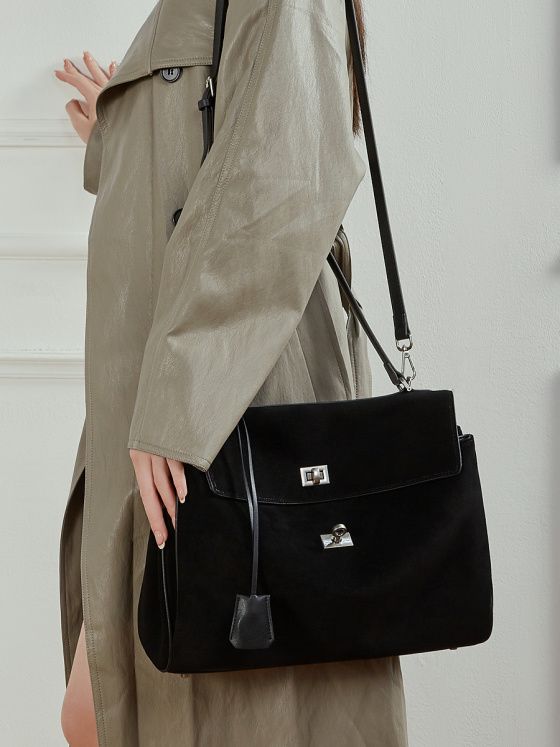

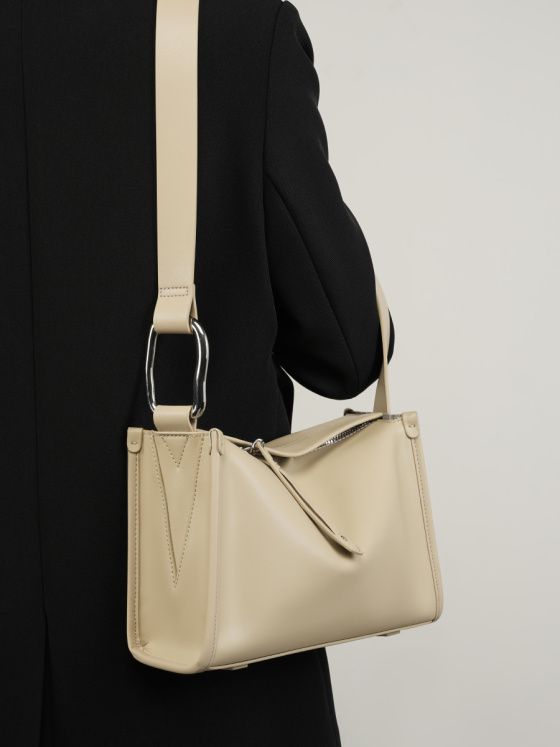
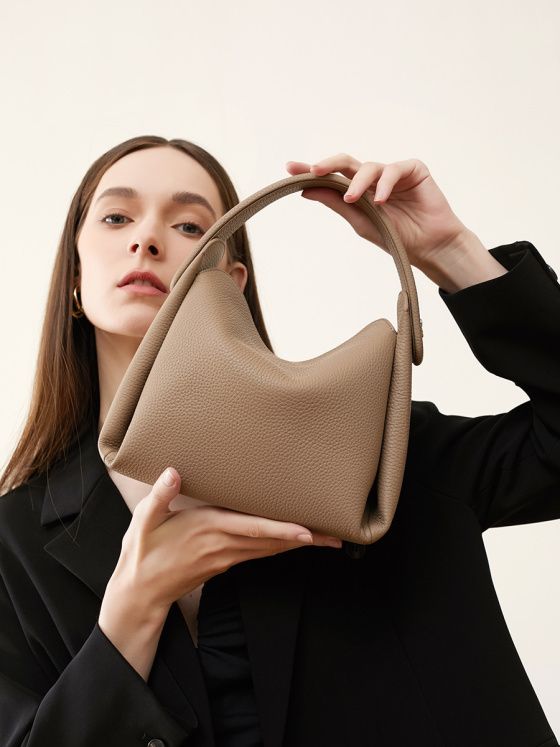
Shop Related Products
Elova Handcrafted Genuine Leather * Crossbody Bag in Black - E783
Elevate your everyday style with this handcrafted genuine leather vintage crossbody bag - large capa...
$359Elova Handcrafted Genuine Leather - Bag in Black - E693
Elevate your everyday style with this handcrafted genuine cowhide leather fashion women's bag - vers...
$199Elova Handcrafted Genuine Leather - Bag in White - E434
Elevate your everyday style with this handcrafted genuine leather large capacity handbag - premium d...
$219Elova Handcrafted Genuine Leather - Crossbody Bag in Black - E280
Elevate your everyday style with this handcrafted genuine cowhide leather premium handbag - versatil...
$259Related Articles
- How to Choose the Right Handbag Size: Complete Size Guide
Complete guide to choosing the perfect handbag size.
- Crossbody vs Shoulder Bag vs Tote: Which Handbag Style is Right for You?
Compare different handbag styles to find your perfect match.
- Best Leather Handbags Under $200 for Everyday Use
Discover affordable, quality leather handbags.